raja22 Casino & Sportsbook Mobile App
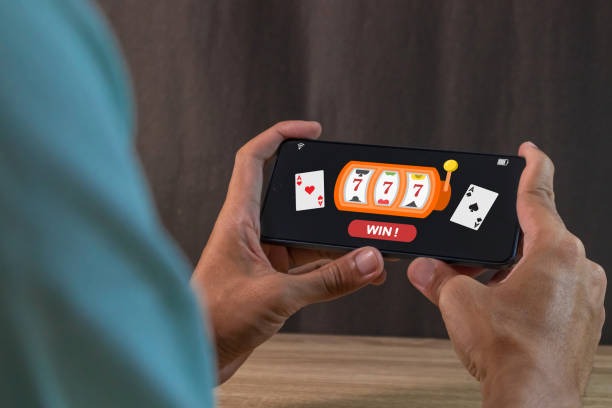
We offer mobile access to slot games, live-dealer tables, and sports markets through both a native Android app and a responsive web interface optimized for iOS and desktop browsers. Our mobile platform is designed to keep you connected to your account, deposits, and withdrawals wherever you are, subject to availability in your jurisdiction.
- and
- LoginOTP Verification
- DownloadAPK
- Update
Many players prefer mobile access because it allows them to follow Liga 1 matches, play Aviator or Sweet Bonanza during breaks, or join live roulette and blackjack tables on their own schedule. We build our app and mobile website to be fast, secure, and straightforward—no unnecessary bloat, just the core features you need to manage your account and engage with our platform.
Whether you download our Android APK, access raja22 through your iOS browser, or use our web app from a desktop, your account, balance, and payment methods sync across all devices. This section walks you through installation options, common setup questions, and how to get started quickly.
How to access raja22 on your device
We provide three installation paths so you can choose what works best for your device. Android users can download our native APK directly from our website and install it manually. iOS users access raja22 through Safari or any mobile browser—no app download needed. And if you prefer a web-app experience on desktop or tablet, you can visit our full website and bookmark it for quick access.

Installation steps for Android APK
-
Download the APK file
Visit our website from your Android device and tap the download button to save the raja22 APK file.
-
Enable unknown sources
Go to Settings > Security and toggle on "Unknown sources" to allow installation of apps from outside the Play Store.
-
Install the app
Open your file manager, find the raja22 APK file, and tap it to begin installation.
-
Launch and log in
Once installed, open the app and sign in with your username and password, or create a new account.
After installation, the raja22 app sits on your home screen just like any other app. You can launch it anytime to check your balance, deposit funds via DANA, e-wallet, mobile banking, local payment, or online payment, and access all our games and markets.
Native app versus browser access
Our native Android app offers a few advantages over browser access. The app loads faster because it caches game assets locally, so even if your internet connection dips e-walletefly, you stay in the game. Push notifications alert you when promotions or major sporting events go live—such as Liga 1 matches or Piala AFF tournaments in Jakarta, Surabaya, and Bandung. The app also integrates more smoothly with your device's operating system, so biometric login (fingerprint or face recognition) works seamlessly if you enable it. For iOS users and those who prefer not to download, our mobile website is fully responsive and offers nearly all the same functionality. Your choice comes down to convenience: app users enjoy speed and notifications; browser users enjoy flexibility and no storage footprint.
Device compatibility and system requirements
Our Android app requires Android 7.0 or later. Most devices manufactured after 2016 meet this standard. If your device is older, you can still access raja22 through your mobile browser. For iOS, we recommend iOS 12 or later on iPhone or iPad; Safari and Chrome both work well. Our web app runs on any modern browser—Chrome, Firefox, Safari, Edge—on desktop, tablet, or mobile. We regularly test and optimize for the most popular devices, so if you encounter performance issues on a specific model, our support team can often provide workarounds or clarification on compatibility.
Troubleshooting common installation issues
If you see a "Unknown sources" error when installing the Android APK, check that you have enabled unknown sources in your device settings. If installation fails partway through, try clearing your download folder and re-downloading the APK. If your device shows a certificate trust warning, this is normal for direct APK installation; our APK is genuine. If you cannot find the APK file after download, check your device's file manager under Downloads. For iOS users, if the mobile site runs slowly or does not load properly, try clearing your browser cache (Settings > Safari > Clear History and Website Data). If you still have trouble, contact our support team; we offer multilingual help in English and Indonesian during business hours.
Data, permissions, and account security
The raja22 app requests standard permissions: internet access (to connect to our servers), storage access (to cache game files and logs), and camera/microphone access only if you use our live-dealer tables with video chat. We never sell your data or share it with third parties except as required by law or to process your payments through mobile banking, local payment, online payment, or bank transfer. Your account credentials are encrypted end-to-end, and we use industry-standard security protocols to protect your personal information and balance. If you suspect your account has been compromised, change your password immediately and contact our support team. We can help you review login history and, if needed, recover your account through our KYC verification process.

Why choose raja22 mobile
- Fast, lightweight design: Our app and mobile site prioritize speed so you spend less time loading and more time playing.
- Integrated payment methods: Deposit via e-wallet, mobile banking, local payment, online payment, e-wallet, or direct bank transfer without leaving the app.
- Full game library on mobile: Play Aviator, Sweet Bonanza, Gates of Olympus, Fortune Tiger, Mahjong Ways, and our live-dealer tables from your phone.
- Multilingual support: Our help team responds in English and Indonesian during business hours to answer account, deposit, or game questions.
- Jurisdiction-aware access: We verify that you are accessing from a location where our services are legally available.
- Account security: Your data is encrypted, and we enforce strict KYC verification to protect your account and funds.
If you have trouble installing our app, logging in, or accessing your account on mobile, reach out to our support team. We offer help in English and Indonesian and aim to resolve most issues within standard processing windows.
Getting started with raja22 on mobile is straightforward: download the app (Android), open your browser (iOS), or visit our web platform, then create your account with a valid email and password. Verify your identity with KYC documents, deposit your first funds through your preferred payment method, and begin playing slot games, live tables, or sports markets. Our mobile platform is available where local law permits; you are responsible for confirming that access complies with your jurisdiction's regulations.